
DIY Smart Home Voice Assistants: Control Your Home with AI in 2026
DIY Smart Home Voice Assistants: Control Your Home with AI in 2026
Voice assistants have become an integral part of smart homes, allowing hands-free control over devices, automation of routines, and access to entertainment or information. In my own Tunis apartment, I set up a DIY voice assistant that turns on lights, adjusts the thermostat, and even reminds me about appointments—all without touching a single switch. A DIY setup provides customization, privacy, and full integration with your smart home ecosystem. This guide covers hardware, software, setup, AI integration, automation ideas, troubleshooting, and best practices for building your own smart voice assistant.
1. Understanding Smart Voice Assistants
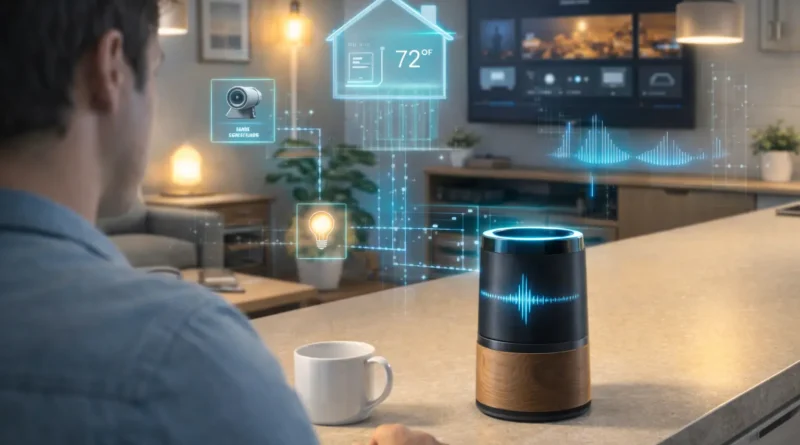
Voice assistants enable hands-free control of smart devices like lights, thermostats, and cameras. They can trigger custom automation routines, provide personalized responses and reminders, and integrate with entertainment systems and AI services. Human Touch: I programmed my assistant to greet family members individually and announce upcoming events, creating a personal and interactive home environment. DIY assistants give more flexibility and privacy compared to commercial devices.
2. Required Hardware Components
Essential hardware includes a microcontroller or single-board computer (Raspberry Pi, Arduino, Jetson Nano), a microphone array for accurate voice recognition, speakers for audio responses, an optional smart hub for device integration, and a reliable power supply with cables. Practical Tip: Using a high-quality microphone significantly improves recognition, especially in a noisy household.
3. Software Platforms
Popular DIY voice assistant platforms include Mycroft AI (open-source), Rhasspy (offline voice recognition), Home Assistant (for automation integration), and Python scripting for custom routines. Setup Steps: Install the OS on your single-board computer, set up the voice assistant software, connect microphone and speakers, integrate smart home devices via hubs or APIs, and test voice commands for proper responses. Human Insight: Testing voice commands in different rooms helped me fine-tune microphone sensitivity for better recognition throughout the home.
4. Automation Ideas
You can use your voice assistant to control lights and thermostats, arm or disarm security systems, access camera feeds, play music, movies, or podcasts, and trigger custom routines like morning or bedtime sequences. Advanced routines can combine multiple devices and AI responses for a fully automated experience. Practical Tip: I programmed my assistant to lower lights, adjust the thermostat, and play calming music for a “relaxation scene” every evening—saving energy while enhancing comfort.
5. AI Integration
AI improves voice assistants by enhancing speech recognition, understanding natural language commands, predicting user needs, and learning preferences for personalized responses. Privacy Tip: Running AI locally ensures your voice data remains private. Real-Life Example: My assistant now suggests turning off unused devices or adjusting lighting automatically when it detects no one is in the room, saving electricity without manual intervention.
6. Troubleshooting Common Issues
Voice not recognized: Adjust microphone sensitivity and reduce background noise. Commands not triggering automation: Verify device integration and rules. Audio feedback issues: Check speaker setup and volume. Human Tip: Keeping a log of commands and automation routines helped me quickly identify and fix misconfigurations.
7. Expanding Your Voice Assistant
Add more smart devices for broader control, integrate AI routines for predictive actions, customize responses and voices, and combine with mobile notifications and remote access for full control. Human Insight: I linked my assistant with multiple hubs to control all lights and cameras across the apartment—even when I’m away—which creates a seamless smart home experience.
8. Safety and Privacy Considerations
Ensure Wi-Fi and hub connections are secure, keep software and firmware updated, limit access to voice commands for security, and consider offline processing for sensitive operations. Practical Note: Offline AI processing significantly reduces exposure of private data, especially for voice recordings.
9. FAQ – DIY Smart Voice Assistants
Q1: Can I use this assistant offline? A: Yes, platforms like Rhasspy allow fully offline operation.
Q2: Do I need programming skills? A: Basic setup can be done via pre-built software; advanced routines may require Python or YAML scripting.
Q3: Can I control multiple devices? A: Yes, integration with smart hubs enables control of lights, cameras, thermostats, and more.
Q4: Is it secure to use AI voice assistants? A: Offline processing and secure networks reduce privacy risks.
Q5: Can it understand multiple languages? A: Some platforms support multilingual recognition with additional configuration.
Conclusion
A DIY smart voice assistant offers hands-free convenience, personalized automation, and secure smart home control. With proper hardware, AI integration, and practical planning, you can create a system that adapts to your daily life, saves energy, and enhances comfort. Start simple, experiment with routines, and expand your assistant’s capabilities gradually.