
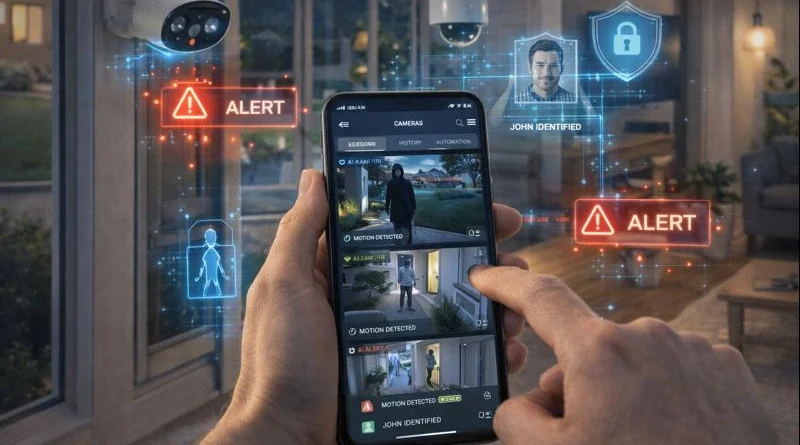
DIY Smart Home Security Cameras: Protect Your Home with AI in 2026
DIY Smart Home Security Cameras: Protect Your Home with AI in 2026
Smart home security cameras give homeowners peace of mind by allowing remote monitoring, detecting unusual activity, and integrating with other smart devices. In my Tunis apartment, setting up DIY cameras let me check entrances while at work and automatically get alerts when someone approached the door, which saved me several anxious trips to check. With a DIY setup, you can customize placement, integrate AI features, and create automation routines for alerts and surveillance tailored to your home.
1. Understanding Smart Security Cameras
Smart cameras provide real-time monitoring via mobile apps or hubs, motion detection alerts, integration with smart lights, alarms, and locks, and AI-driven facial recognition or anomaly detection. Human Insight: I configured my backyard cameras to differentiate between people and pets, reducing false alarms while keeping my home secure. DIY setups allow privacy, cost savings, and full control compared to commercial monitoring services.
2. Required Hardware Components
Indoor or outdoor Wi-Fi cameras (Arlo, Wyze, Ring), microSD or cloud storage for recordings, optional hub or central controller for multiple cameras, motion sensors to extend detection range, and optional sirens or alarms. Tip: Place cameras strategically to cover entrances, blind spots, and common areas. Using outdoor cameras with weatherproofing ensures longevity and reliability.
3. Software Platforms
Home Assistant: Centralized integration for multiple cameras and automation triggers. OpenHAB: Advanced rules and alert systems. Manufacturer apps: Cloud storage, notifications, and basic control. AI software: Facial recognition, anomaly detection, and predictive alerts. Setup Steps: Mount cameras securely, connect to Wi-Fi or hub, configure apps and dashboards, test motion detection and automation routines. Practical Insight: Linking my cameras with smart lights ensures that lights turn on automatically when motion is detected at night.
4. Automation Ideas
Motion-triggered alerts notify you instantly. Lighting integration automatically turns on lights upon detection. Alarm activation triggers sirens or notifications. Scheduled recording reduces storage usage by recording only during specified hours. Human Tip: Start with basic alerts and gradually add complex automations to avoid overloading notifications.
5. AI Integration
AI enhances cameras by recognizing faces, differentiating family members from strangers, detecting unusual motion patterns, sending predictive alerts, and optimizing video storage. Privacy Tip: Running AI locally protects sensitive areas from cloud exposure. Human Insight: In my experience, AI alerting for unusual movement helped detect a stray dog in the garden without triggering unnecessary notifications.
6. Troubleshooting Common Issues
Camera not connecting? Check Wi-Fi, firmware, and hub integration. Motion alerts not triggering? Adjust sensitivity or reposition cameras. Video storage full? Optimize recording settings or upgrade storage. Pro Tip: Maintain a simple log of camera settings, firmware versions, and installed apps for faster troubleshooting.
7. Expanding Your Security System
Add more cameras for full coverage, integrate with smart locks, lighting, and alarms for complete automation, use AI to monitor multiple zones, and combine with mobile notifications for remote monitoring. Human Tip: Adding one camera to the garage and integrating it with AI notifications gave me extra confidence when leaving home at night.
8. Safety Considerations
Ensure outdoor cameras are weatherproof and securely mounted, use strong passwords and encrypted connections, keep firmware updated, and respect the privacy of family and neighbors. Practical Insight: Label cables and mounting points to prevent accidents during maintenance.
9. FAQ – DIY Smart Security Cameras
Q1: Can I integrate cameras with other smart devices? A: Yes, cameras can trigger lights, alarms, or notifications via hubs or apps.
Q2: Do I need technical skills? A: Basic setup is easy; advanced AI features may require software configuration.
Q3: Can AI distinguish people, pets, or vehicles? A: Advanced AI cameras can detect and classify different types of objects.
Q4: Is remote monitoring secure? A: Yes, use encrypted connections and strong passwords.
Q5: Can I store footage locally instead of cloud? A: Yes, many cameras support microSD or network-attached storage.
Conclusion
DIY smart security cameras provide peace of mind, automated surveillance, and integration with other smart home devices. With the right placement, AI integration, and practical setup, you can build a flexible, secure, and cost-effective system. Start with entrances, expand coverage gradually, and use AI alerts to make your home smarter and safer.