
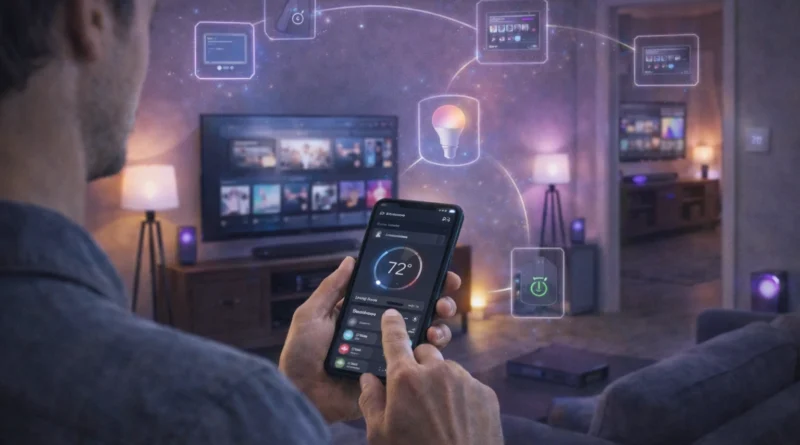
DIY Smart Home Entertainment Systems: Automate Your Media in 2026
DIY Smart Home Entertainment Systems: Automate Your Media in 2026
Smart home entertainment systems are no longer limited to streaming devices. With DIY automation, you can integrate your TVs, speakers, gaming consoles, and streaming services into a fully connected system controlled via mobile apps, voice assistants, or a centralized hub. In my Tunis apartment, linking the TV, soundbar, and Philips Hue lights to Home Assistant created a “movie night mode” that dims the lights, closes blinds, and powers on the projector automatically—making family evenings seamless and immersive. This guide covers hardware requirements, software platforms, installation, automation, AI integration, troubleshooting, and expansion strategies for a fully automated entertainment setup.
1. Understanding Smart Home Entertainment
Smart entertainment automation allows centralized control of all media devices, automated scenes for movies, music, and gaming, integration with lighting and home hubs, and voice or remote control for hands-free convenience. In practice, I programmed a “gaming mode” that turns on the console, adjusts ambient lights, and mutes notifications, making gaming sessions uninterrupted and immersive.
2. Required Hardware Components
Essential hardware includes smart TVs or projectors (Wi-Fi or HDMI-CEC compatible), smart speakers and soundbars (Sonos, Alexa, Google Home), streaming devices (Apple TV, Roku, Fire Stick, Chromecast), smart plugs for legacy devices like older consoles or lamps, a hub or single-board computer (Raspberry Pi or Home Assistant), and optionally a touchscreen interface for direct local control. Tip: Verify that all devices are compatible with your chosen hub. Real-life insight: Using smart plugs for my older sound system allowed seamless automation without replacing the hardware.
3. Software Platforms
Popular software platforms include Home Assistant for full flexibility, OpenHAB for visual automation flows, Node-RED for drag-and-drop automation logic, and proprietary apps for some devices. Setup involves installing the hub software, connecting TVs, speakers, and streaming devices, configuring dashboards and automation routines, and testing each device individually before combining multi-device automation. Human Tip: Test one room at a time to prevent complex troubleshooting later.
4. Automation Scenarios
Advanced routines enhance convenience and immersion: Movie Mode dims lights, closes smart blinds, and powers on TV and sound system; Music Mode activates speakers in selected rooms with volume and equalizer presets; Gaming Mode powers consoles, adjusts lighting, and mutes notifications; Scene-based routines combine lighting, HVAC, and media for full home ambiance. In real life, the automated movie night mode improved family engagement and reduced manual setup time.
5. AI Integration
AI can enhance entertainment by suggesting content based on habits, adjusting lighting and sound automatically, enabling multi-device voice control, and predictive scheduling for media routines. Privacy Tip: Run AI locally if you prefer to keep media consumption private. Human Touch: I trained a local AI routine that dims lights and lowers projector brightness for evening movies, saving energy while maintaining comfort.
6. Troubleshooting Common Issues
Device not responding: Check network connectivity and firmware updates. Automation conflicts: Review dashboard rules and device status. Audio/video sync issues: Check HDMI or network settings. Maintaining a list of connected devices and logs helped me quickly identify and resolve a misconfigured speaker in the living room.
7. Expanding Your Entertainment System
Add more speakers, TVs, or rooms for multi-zone control. Integrate with smart lighting and smart plugs for full scene automation. Add AI-driven personalization for content, lighting, and sound. Incorporate streaming platforms for music, movies, and games. Practical Tip: Start with high-use areas like living room and bedroom before expanding to all rooms.
8. Safety Considerations
Ensure devices are certified and compatible with your electrical setup. Avoid overloading power strips. Keep firmware and software up-to-date to prevent security vulnerabilities. Secure your Wi-Fi network with strong passwords. Real-life Tip: I secured my network with a separate VLAN for smart devices to prevent unauthorized access.
9. FAQ – DIY Smart Home Entertainment
Q1: Can older TVs or devices be integrated?
A: Yes, smart plugs or IR blasters allow automation for legacy devices.
Q2: Do I need programming skills?
A: Basic automation is achievable via apps; advanced multi-device scenarios may require scripting.
Q3: Can I control everything remotely?
A: Yes, using mobile apps, VPN, or cloud services.
Q4: How much does a DIY system cost?
A: Depending on devices and zones, expect $500–$2000 for a comprehensive multi-room setup.
Q5: Can AI recommend content automatically?
A: Yes, AI can suggest movies, music, or shows based on usage patterns and viewing history.
Conclusion
A DIY smart home entertainment system enhances convenience, ambiance, and personalization. With proper hardware, AI routines, and thoughtful automation, you can create a seamless, multi-room media experience. Start with one area, automate routines gradually, and expand for full home integration.