
DIY Home Robotics: Automate Everyday Tasks in 2026
DIY Home Robotics: Automate Everyday Tasks in 2026
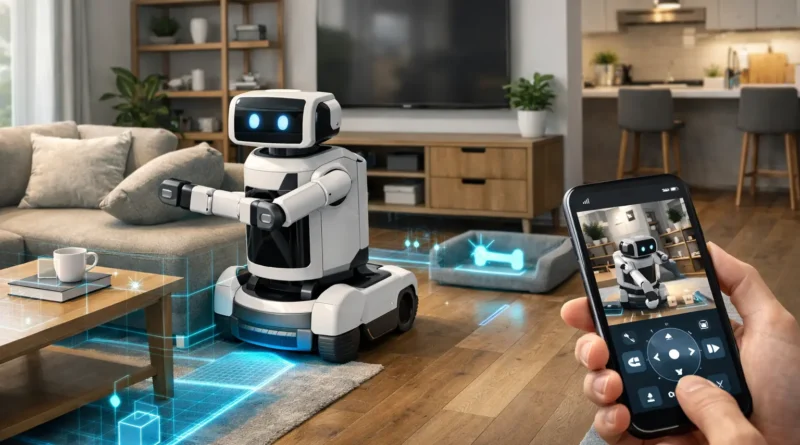
Home robotics is no longer just a futuristic concept. DIY smart robots can now help with cleaning, monitoring, and home entertainment, integrating seamlessly with your smart home ecosystem. In my own Tunis apartment, I programmed a small robot vacuum and an interactive assistant bot that reminds me of chores and turns on lights in the evening—saving time and adding a futuristic touch to daily life. This guide covers hardware requirements, software platforms, setup, automation ideas, AI integration, troubleshooting, and expansion tips for building your own home robotics system.
1. Understanding Home Robotics
Home robots can perform a variety of tasks: cleaning robots for vacuuming, mopping, and dusting; surveillance robots patrolling and providing live video feeds; delivery robots moving items between rooms; and interactive assistants for reminders, messages, or entertainment. Benefits include time savings, improved efficiency, and enhanced home security. Human Touch: My cleaning robot learned to vacuum high-traffic areas more frequently, noticeably reducing dust accumulation without any manual effort.
2. Required Hardware Components
Key hardware includes microcontrollers or single-board computers (Arduino, Raspberry Pi, Jetson Nano), motors and actuators for movement, sensors (cameras, LIDAR, ultrasonic) for navigation, Wi-Fi or Bluetooth modules for hub integration, and reliable batteries with power management. Tip: Select components according to your robot’s intended tasks and mobility needs. In practice, choosing a lightweight chassis helped my delivery bot navigate narrow hallways safely.
3. Software Platforms
Popular platforms for DIY home robotics include ROS (Robot Operating System) for advanced control, Home Assistant for smart home integration, Python scripting for automated routines, and Node-RED for visual automation flows. Setup Steps: assemble hardware, install software, connect to your hub, and test basic movements and task automation. Human Tip: Start with simple routines to prevent software conflicts before programming complex behaviors.
4. Automation Ideas
Cleaning schedules: Robot vacuums or mops autonomously at preset times. Security patrols: Robot moves through the home detecting intrusions. Delivery tasks: Robots transport items between rooms. Interactive routines: Robot announces reminders, controls music, or adjusts lighting. Practical Insight: Scheduling my security robot during night hours gave me peace of mind without constant monitoring.
5. AI Integration
AI enhances robotics with obstacle detection, efficient path planning, routine learning, facial recognition, and predictive household behavior patterns. Privacy Tip: Keep AI and camera data secure by processing locally. Human Touch: My AI assistant now anticipates when I’m home and powers on hallway lights automatically, creating a seamless smart-home experience.
6. Troubleshooting Common Issues
Robot not moving: Check motors, battery, and software. Sensors not responding: Verify wiring and calibration. Automation not executing: Review hub integration and logs. Regular maintenance and updates ensure smooth operation. Real Tip: Maintaining a log of routines and software versions helped me quickly fix a miscalibrated motion sensor.
7. Expanding Your Robotics System
Add specialized robots for additional tasks. Integrate with AI assistants and smart devices. Enable multi-room coordination for larger homes. Include advanced AI for adaptive behaviors. Human Tip: Expanding gradually allows the system to remain manageable and reduces troubleshooting complexity.
8. Safety Considerations
Always handle electrical and mechanical components safely. Use certified batteries and controllers. Avoid unsafe areas. Keep software updated to prevent malfunctions. Real-life Insight: I set speed limits on my floor-cleaning robot to prevent accidents around pets.
9. FAQ – DIY Home Robotics
Q1: Do I need coding skills? A: Basic robots run pre-configured routines; advanced robots require Python or ROS scripting.
Q2: Are DIY robots expensive? A: Costs vary from $150 for simple bots to $1000+ for multi-tasking robots.
Q3: Can these robots integrate with smart home devices? A: Yes, most communicate via Wi-Fi or hub integration.
Q4: Are they safe around pets or children? A: Proper programming and safety features like sensors and speed limits are essential.
Q5: Can AI make robots more autonomous? A: Yes, AI improves navigation, task efficiency, and adaptive behaviors.
Conclusion
DIY home robotics adds convenience, efficiency, and futuristic appeal to your home. With proper hardware, thoughtful automation, and AI integration, you can create smart robots that clean, monitor, deliver, and assist seamlessly. Start small, experiment with routines, and expand for a fully integrated smart home ecosystem.