
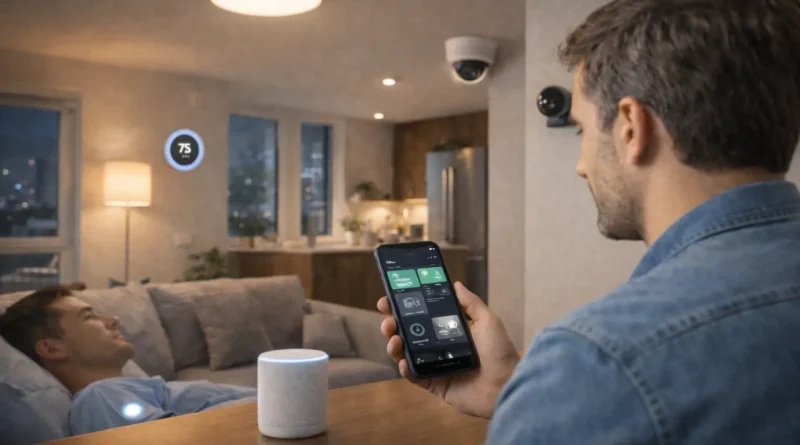
AI-Powered Smart Home Technology: Enhancing Daily Life in 2026
AI-Powered Smart Home Technology: Enhancing Daily Life in 2026
Artificial Intelligence is transforming homes into intelligent ecosystems. In 2026, AI-powered smart home technology is not just a convenience—it’s a tool for energy efficiency, security, and personalized living. From smart lighting to intelligent climate control, homeowners can automate routines, reduce utility costs, and enjoy seamless integration across devices. Human Insight: In my Tunis apartment, I installed AI-enabled smart plugs and lighting. Within days, the system learned my habits, turning lights on when I arrived home and adjusting energy consumption when rooms were unoccupied, reducing electricity usage by nearly 20% in the first month.
1. Why Choose AI for Smart Homes
AI allows devices to learn and predict user behavior. Unlike manual smart home systems, AI-powered devices adapt automatically, optimize performance, and provide actionable insights. Homeowners benefit from energy savings, increased comfort, and advanced security features. Local context matters: in Tunis, where electricity tariffs vary, AI optimization can significantly reduce monthly bills.
2. Core Components of an AI Smart Home
Key elements include smart hubs, AI-enabled sensors, smart plugs, lighting, thermostats, and security devices. Sensors detect occupancy, temperature, or motion. Smart plugs and lights adjust automatically. Hubs coordinate AI routines across devices. Understanding compatibility, network requirements, and power limitations ensures a reliable system.
3. Hardware and Software Requirements
Hardware: AI hub (e.g., Home Assistant, Hubitat), smart plugs, lights, thermostats, cameras, sensors.
Software: Hub platform, AI routines, automation scripts, optional voice assistant integration.
Tools: Smartphone or tablet, screwdrivers, voltage tester for certain devices, notebook for planning automation flows. Tip: Ensure Wi-Fi coverage throughout the home; in Tunis apartments with thick walls, consider mesh Wi-Fi systems for stable connectivity.
4. Step-by-Step Setup
Step 1 – Device Planning: Map rooms and identify tasks for each device.
Step 2 – Installation: Set up smart plugs, lights, thermostats, and sensors. Test individual functionality.
Step 3 – Hub Configuration: Connect devices to AI hub and verify recognition.
Step 4 – Automation Setup: Create routines, e.g., lights on at sunset, thermostat adjusts based on occupancy.
Step 5 – AI Learning: Enable adaptive features so devices learn patterns and optimize energy usage.
Step 6 – Testing: Observe system behavior for a week and adjust routines for accuracy.
5. Real-Life Applications and Personal Experience
Energy Efficiency: Devices turn off automatically in empty rooms, reducing power consumption.
Security: AI monitors cameras and alerts homeowners to unusual activity.
Convenience: Voice commands control lights, thermostat, and entertainment systems.
Human Insight: I programmed my Tunis apartment AI system to reduce heating at night and turn on living room lights when my smartphone detects arrival. This simple adaptation cut my energy bills while improving comfort.
6. AI Integration for Smarter Homes
Modern AI allows prediction and adaptation. Thermostats anticipate occupancy, lights adjust brightness based on natural light, and AI hubs analyze usage patterns to suggest optimizations. These features provide tangible benefits in daily routines, making the home feel proactive rather than reactive.
7. Troubleshooting and Optimization
Connectivity Issues: Verify Wi-Fi, reset devices, update firmware.
Automation Errors: Review AI routines and device permissions.
Energy Monitoring Discrepancies: Calibrate smart plugs and check sensor placement.
Performance: Regularly update hub software and optimize routines for smoother operation.
8. Safety and Privacy Considerations
Use secure passwords and enable two-factor authentication.
Keep AI hub and devices updated to avoid vulnerabilities.
Encrypt communication between devices when possible.
Human Insight: I separated AI device network from personal devices in my Tunis home to prevent unauthorized access and ensure privacy.
9. Advanced Tips for Home AI Enthusiasts
Integrate AI with home irrigation or security systems for combined automation.
Use predictive routines for vacation mode or seasonal changes.
Enable multilingual commands to support Arabic and English.
Visual dashboards can track real-time energy, temperature, and security data.
10. FAQ – AI-Powered Smart Home
Q1: Can AI devices work offline? A: Some functions work locally; full cloud features may require internet.
Q2: Do I need programming skills? A: Basic setup is user-friendly; advanced routines may require scripts.
Q3: Can I integrate devices from different brands? A: Yes, if the hub supports multiple protocols like Zigbee or Z-Wave.
Q4: Will AI reduce electricity costs? A: Adaptive routines and occupancy-based control can lower usage by 15–25%.
Q5: How long does setup take? A: For a small apartment, 2–4 hours; advanced setups may take longer.